I will design settings and profile screens for your app in Figma
New gig, no reviews from orders yet

1 / 3
What happens after you pay
- You pay. SkillSellUp holds it.
- Your seller delivers.
- You approve, or it completes 3 days after delivery.
How paying works
You pay SkillSellUp, never the seller, at checkout: by a secure payment link, PayPal or card.
Not every method is available in every country.
For a transfer you send the money yourself and tell us its transaction ID; we confirm it, and the seller starts.
Prices are in US dollars.
Gig summary
- Original UI work: the apps you admire are described as inspiration, never cloned.
- Delivery: 6–20 days
- Revisions: Up to 5 revisions
- Packages: 3 options from $150.00
- Your payment: Held until you approve the delivery, or 3 days after delivery
About this gig
A professional look that matches the quality of your work.
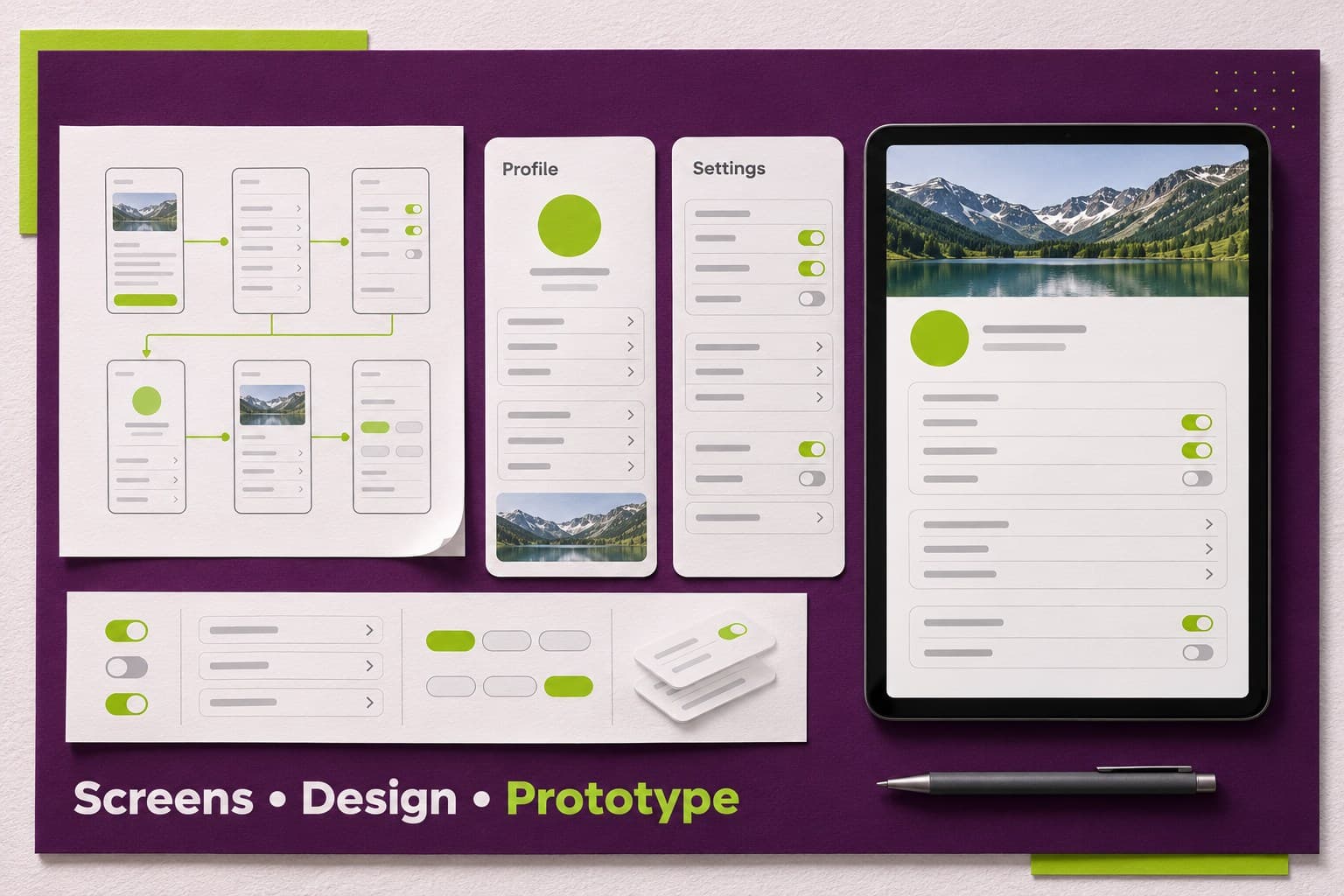
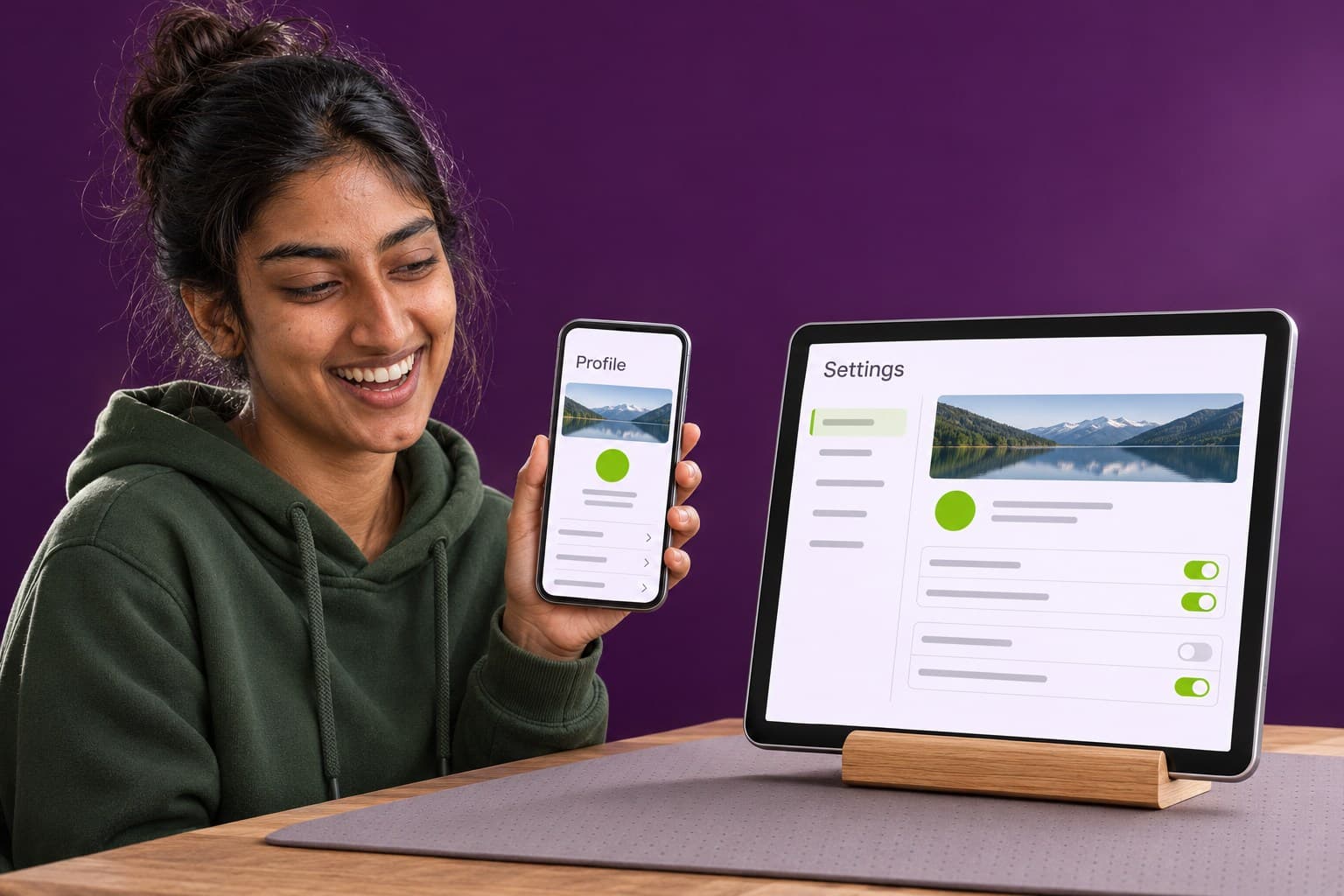
Changing a screen in Figma takes minutes; changing it after it is built takes days. I design your screens first, link them into a simple clickable prototype, and you and your developer can tap through the product and agree on it before any code is written.
What you receive
In the Dashboard UI suite package:
- 8 designed screens, desktop and mobile
- Wireframes approved before design
- Clickable prototype of main flows
- Chart, table and filter styles
- Editable Figma components
Is this for you?
- Owners refreshing an old look before a launch
- Creators, coaches and personal brands
- Small businesses and startups that need a professional look
How we work together
- You share screenshots or the Figma file of the screens you have now.
- I mark where the layout or the path is unclear.
- I redesign the screens and link the new version into a prototype.
- You compare old and new, and ask for changes within your rounds.
Why order this gig
- My approach. Readable text, clear contrast and buttons big enough for a thumb help everyone, including older users and people on small phones in bright light.
- No surprises. What is included and what I need from you are written down before work starts.
To get started
Real text, prices, menu items or sample data for the screens, so the layout fits what users will really see.
Good to know
I design the screens in Figma. Building the screens in code is not included; your developer builds from the file, and I add short notes for them where your package lists them.
Common questions
Can you redesign screens I only have as screenshots? Yes. Send clear screenshots of the screens you have now. I redraw the parts we keep in Figma and redesign the parts that are unclear.
Is a new logo part of the Figma UI order? No. A logo is a separate piece of work. I use the logo you already have, or a simple text placeholder until you have one.
Not sure which package fits the screens you need? Message me and I will suggest one.
UI/UX design samples
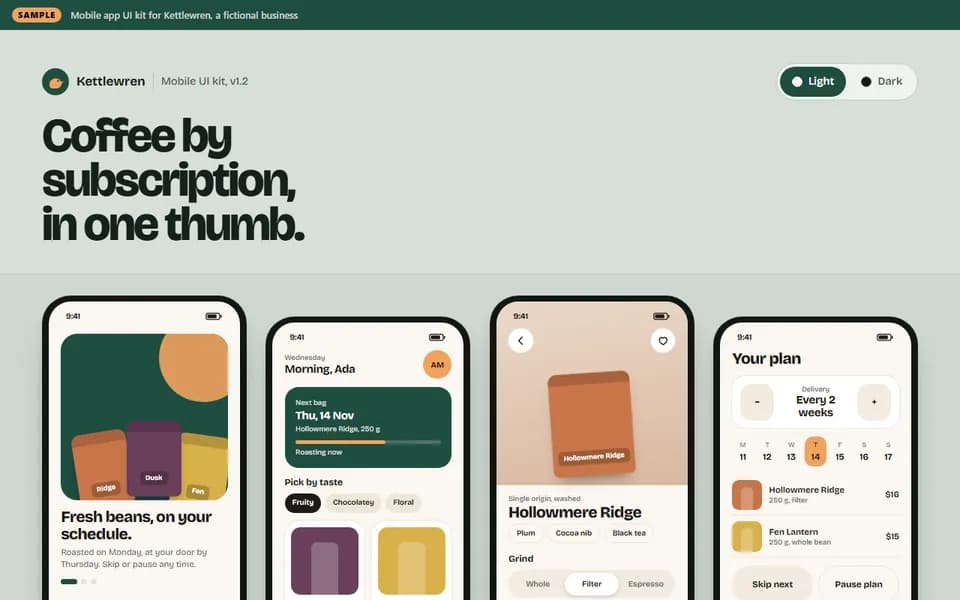
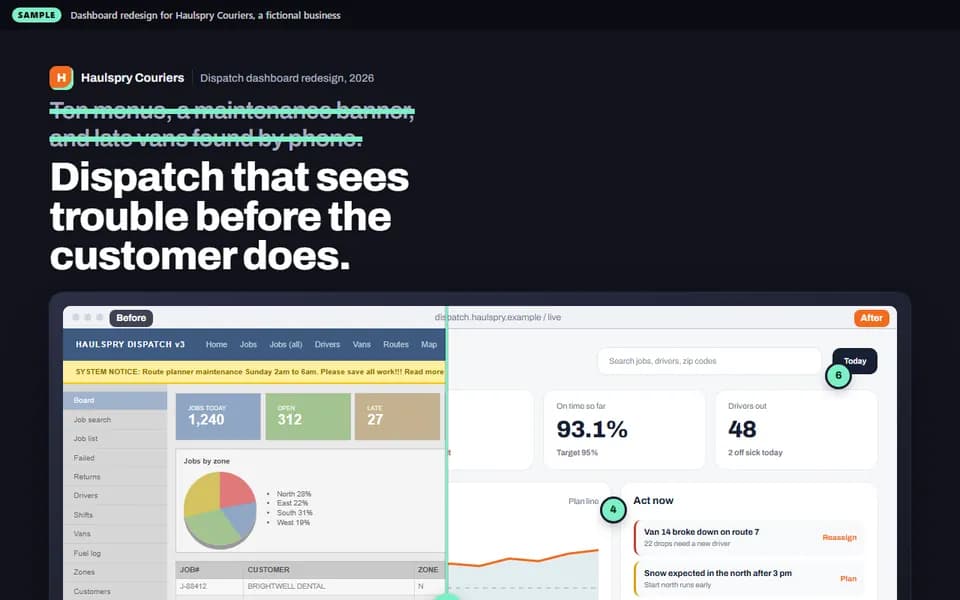
Work samples with made-up brands. Like one? Ask the seller for something like it.
UI/UX design
Kettlewren: mobile app UI kit and screen set
UI/UX design
Haulspry Couriers: dispatch dashboard redesign
UI/UX design
Leafkettle: plant care app UI kit and screen set
UI/UX design
Lumaroo Fitness: gym admin dashboard redesign
UI/UX design
Paddlepip Swim School: mobile app UI kit and screen set
UI/UX design
Pinemoth: design system for a booking product
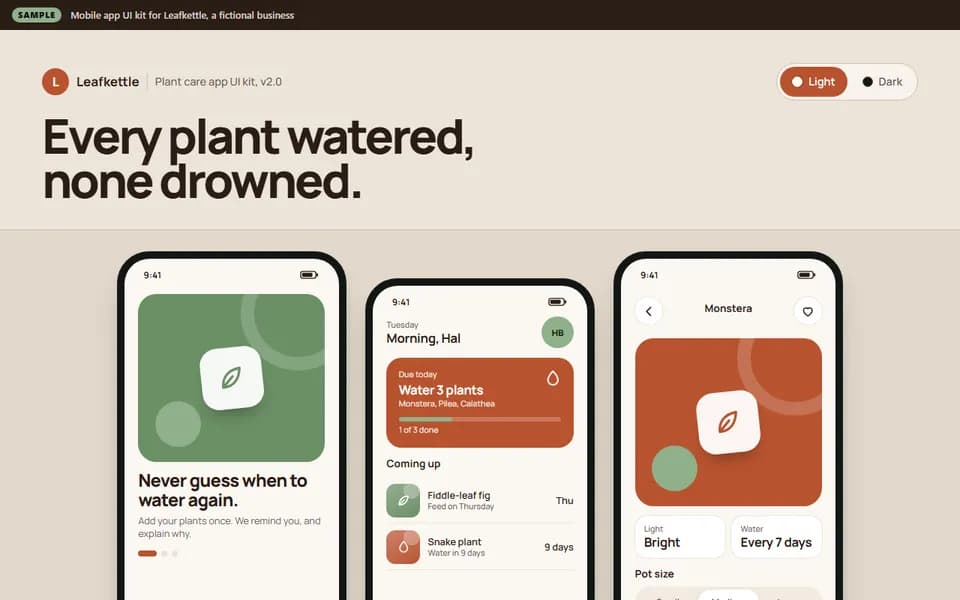
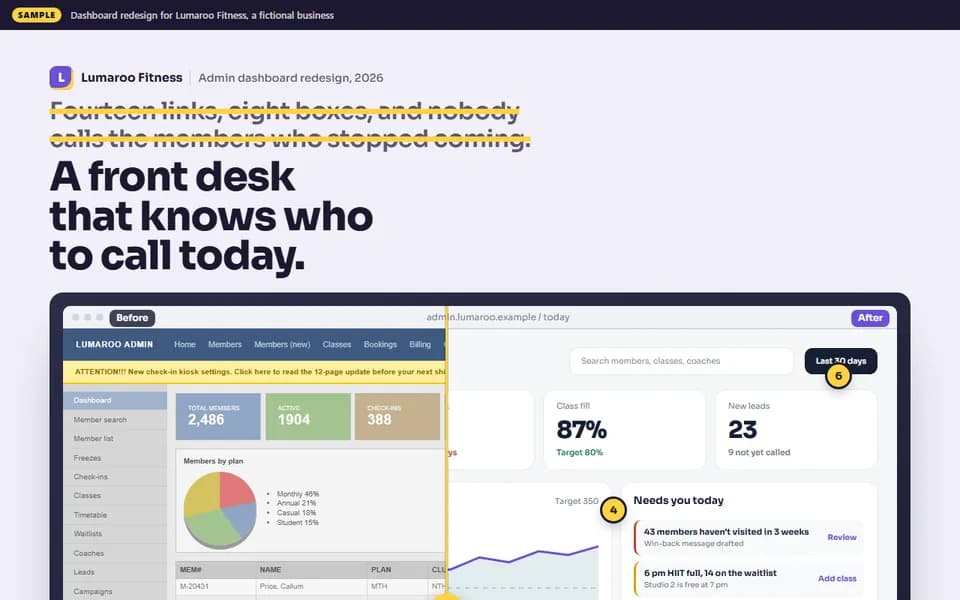
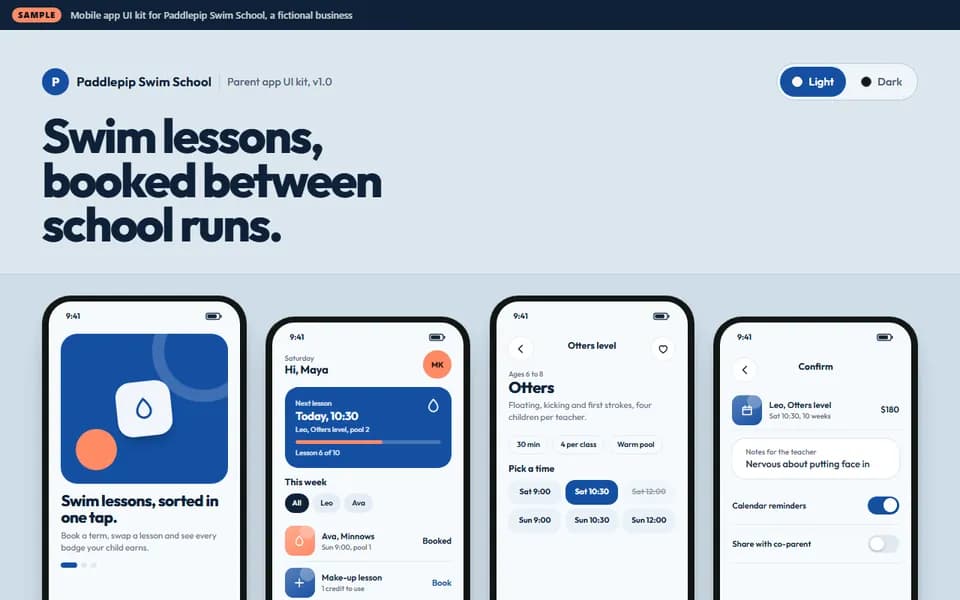
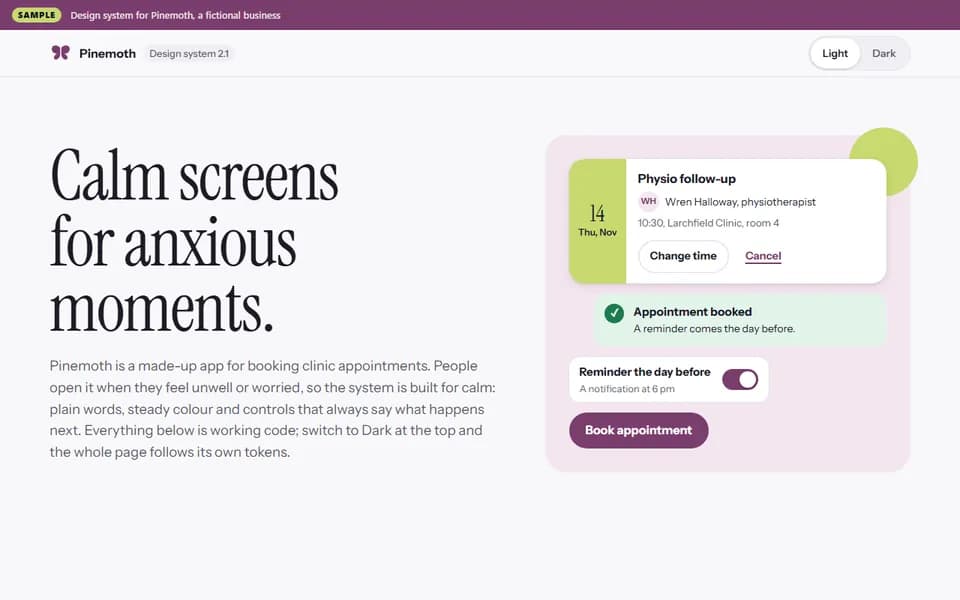
Demos and samples use made-up brands, names and content. Your seller builds yours to your own brief, with your brand, your content and your tools. Your payment is held until you approve the work, or 3 days after delivery.
Compare packages
Scroll sideways to compare every tier.
| Package | $150BasicDashboard UI coreThe essentials, done carefully, when you know exactly what you need. | $350StandardDashboard UI suiteA step up for a brand that will be used on the website, social media and print. | $700PremiumDashboard UI systemFor a launch: the full set, ready for every place your brand appears. |
|---|---|---|---|
| 3 designed screens, desktop or mobile | Included | Not included | Not included |
| Wireframes approved before design | Included | Included | Not included |
| Simple clickable prototype | Included | Not included | Not included |
| Chart, table and filter styles | Included | Included | Not included |
| Editable Figma components | Included | Included | Not included |
| Designed screens, desktop and mobile | Not included | 8 | 16 |
| Clickable prototype of main flows | Not included | Included | Included |
| Reusable components with variants | Not included | Not included | Included |
| Empty, error and loading states | Not included | Not included | Included |
| Short notes for your developer | Not included | Not included | Included |
| Revisions | 3 | 4 | 5 |
| Delivery time | 6 days | 12 days | 20 days |
| Price | $150.00Select Dashboard UI core | $350.00Select Dashboard UI suite | $700.00Select Dashboard UI system |
FAQ
Will a new UI design bring me more sign-ups?
No one can promise sign-ups or sales. A clear design removes confusion, but results depend on your product, your offer and your audience. A clickable prototype lets you test the screens with real people before you build them.
What can the clickable Figma prototype do?
It links your screens so a tap or a click moves to the next one, like a simple version of the product. It is not a working app: forms do not save, and nothing is connected to real data.
How many screens are in each Figma package?
Each package lists its number of screens and devices. A screen is one view of the product, such as a home screen, a list or a settings page. Pop-ups and small states of the same screen count as part of it.
Do I get mobile and desktop versions of every screen?
Only in packages that list both. The first package of each ladder is designed for one device, mobile or desktop, so tell me which one your users reach first.
Can we skip the wireframes and go straight to the finished UI?
We can keep them very short, but I do not skip them. A quick wireframe lets us agree on the structure first, which saves your rounds of changes for the details.
How does my developer get what they need from the Figma file?
They open the file in Figma and read sizes, colors and spacing from it, in the way their own Figma plan allows. I keep spacing and styles consistent, and where your package lists them I add short notes on how each part behaves.
Reviews
No reviews yet
Reviews come from completed orders. A review from a past client the seller invited is labelled as one. Your payment stays held by SkillSellUp until you approve the delivery, or 3 days after delivery.
Ask Suzanne Neha a questionAbout the seller

- From
- Bangladesh
- Member since
- October 2026
- Languages
- Bengali (Native/Bilingual), English (Conversational), Spanish (Conversational)
Hi! I'm Rose Fahmida, a Professional Digital Marketer and AI Video Creation Specialist. I specialize in YouTube SEO, video promotion, channel optimization and creating realistic AI-powered videos and engaging advertising content in line with applicable platform policies. With hands-on experience, creativity, and modern AI tools, I focus on delivering high-quality, customized solutions that help creators, musicians and businesses strengthen their online presence. Client satisfaction, clear communication, and professional service are my top priorities. I'm committed to understanding your goals and bringing your ideas to life. Let's work together to grow your digital presence!
More from Suzanne Neha
See the profile


Similar services
- I will link your existing Figma screens into a clickable prototype
From $150
Delivery in 6 days
- I will design a desktop app UI in Figma for Windows or Mac
From $150
Delivery in 6 days
- I will design an inventory dashboard UI in Figma
From $150
Delivery in 6 days
- I will design a recipe app UI in Figma with easy cooking steps
From $150
Delivery in 6 days




Read next
Related tags
 Message Suzanne Neha